DEVOPS.CLOUDROX | HANDS-ON LAB
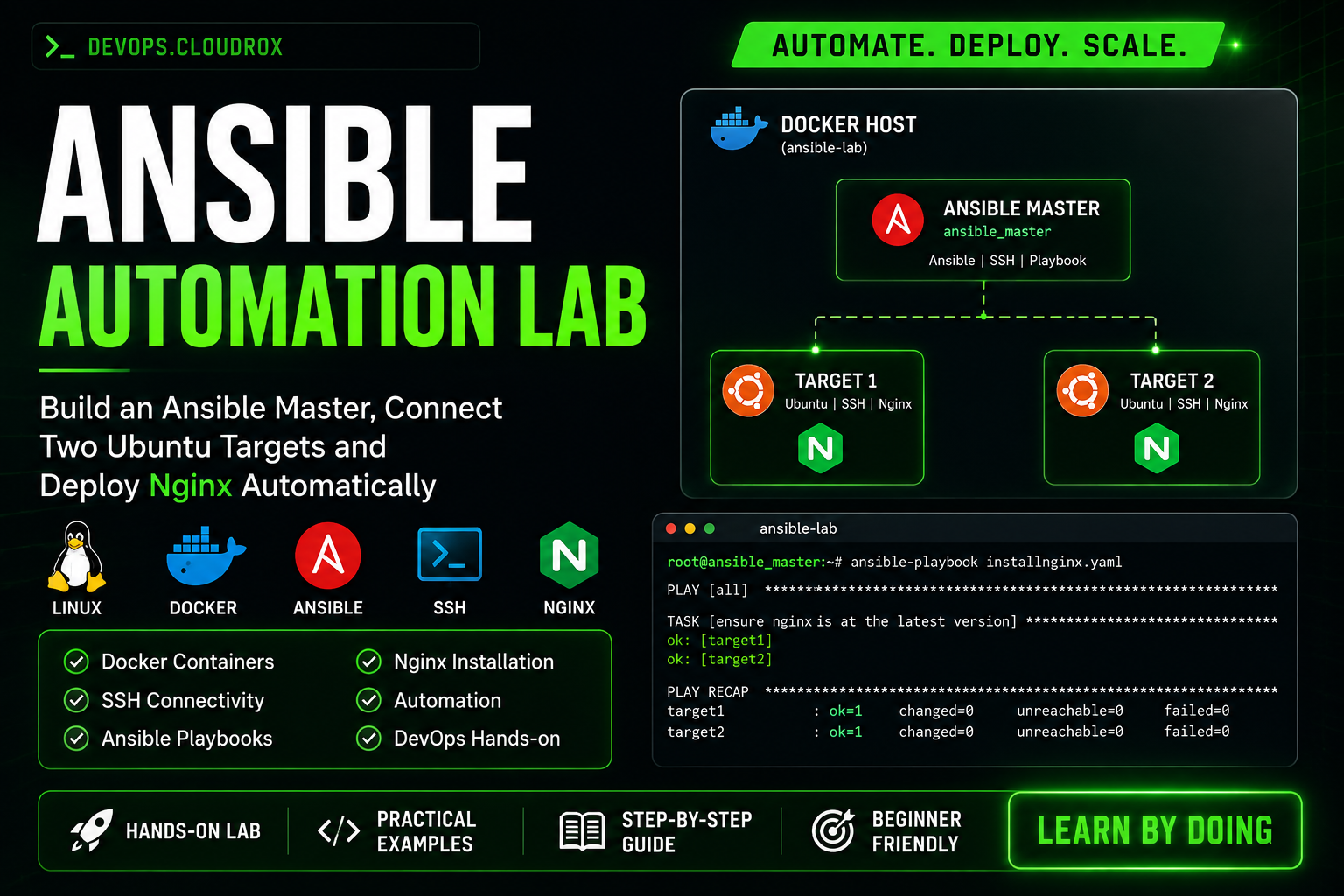
Ansible Automation Lab
In this lab, we will create one Ansible master and two Ubuntu target containers.
Then we will connect them with SSH and install Nginx using Ansible.
LINUXDOCKERANSIBLESSHNGINX
SSH-in-browser | ansible-lab
root@ansible-lab:~# ./start-ansible-lab.sh █
01 | LAB OVERVIEW
How This Lab Works
First, understand the setup. The Docker host runs three Ubuntu containers. The Ansible master connects to target1 and target2 through SSH.
DOCKER HOST → ANSIBLE MASTER → SSH → TARGET MACHINES → NGINX
Create Containers
Install Ansible
Set Up Targets
Set Up SSH
Find IPs
Inventory
SSH Keys
Test Connection
Playbook
Nginx
02 | PART 1
Create 3 Ubuntu Containers
Create one Ansible master and two Ubuntu target containers.
ansible_master
This is the Ansible master. We will install Ansible here and run the playbook from here.
target1 + target2
These are the Ubuntu machines that Ansible will manage over SSH.
Docker Host
Copy
root@ansible-lab:~# docker run -itd --name ansible_master ubuntu /bin/bash
root@ansible-lab:~# docker run -itd --name target1 ubuntu /bin/bash
root@ansible-lab:~# docker run -itd --name target2 ubuntu /bin/bash
root@ansible-lab:~# docker ps
Why are we running these commands?
docker run -itd --name ansible_master ubuntu /bin/bash
Creates the Ubuntu container that will be our Ansible master. It runs in the background.
docker run -itd --name target1 ubuntu /bin/bash
Creates the first Ubuntu target machine.
docker run -itd --name target2 ubuntu /bin/bash
Creates the second Ubuntu target machine.
docker ps
Shows running containers. We use it to check that all three containers are running.
Check: You should see ansible_master, target1 and target2 in the list.
REAL LAB SCREENSHOT

Docker ps showing the three Ubuntu containers
03 | PART 2
Set Up the Ansible Master
Enter the master container, update Ubuntu and install Ansible and the tools needed for SSH.
Enter ansible_master
Copy
root@ansible-lab:~# docker exec -it ansible_master bash
Why are we running these commands?
docker exec -it ansible_master bash
Opens a shell inside ansible_master. All Ansible commands in this lab will run from this container.
Install Required Packages
Copy
root@ansible_master:/# apt update
root@ansible_master:/# apt install python-is-python3 vim iputils-ping openssh-client -y
Why are we running these commands?
apt update
Refreshes the Ubuntu package list so apt can find current packages.
apt install python-is-python3 vim iputils-ping openssh-client -y
Installs Python, Vim, ping and the SSH client. Ansible uses SSH to reach the target machines.
Install Ansible
Copy
root@ansible_master:/# apt install software-properties-common
root@ansible_master:/# add-apt-repository --yes --update ppa:ansible/ansible
root@ansible_master:/# apt install ansible
root@ansible_master:/# ansible --version
Why are we running these commands?
apt install software-properties-common
Installs tools needed to add a package repository.
add-apt-repository --yes --update ppa:ansible/ansible
Adds the Ansible repository and refreshes the package list.
apt install ansible
Installs Ansible on the master.
ansible --version
Checks that Ansible is installed and shows its version.
Timezone prompt: Ubuntu may ask for a region and city during package installation. This is normal package configuration.
REAL LAB SCREENSHOT
 #linux
#nginx
#devops
#ansible
#docker
#ubuntu
#ssh
#automation
#linux
#nginx
#devops
#ansible
#docker
#ubuntu
#ssh
#automation